CRM in Manufacturing Industry: Driving Efficiency, Visibility & Growth
CRM in manufacturing industry connects sales, service, and ERP data. See key features, benefits, ERP integration, and a step-by-step rollout plan.
Contact Us
Manufacturers lose deals when quotes stall between sales, finance, and the warehouse. A manufacturing CRM fixes this by connecting customers, distributors, and service teams to the ERP and production data behind every order.
This guide covers what CRM does in the manufacturing industry, the problems it solves, key features, ERP integration, and how to roll it out.
What Is CRM in the Manufacturing Industry?
CRM in manufacturing is a system that manages every relationship tied to revenue: end customers, original equipment manufacturers (OEMs), distributors, dealers, and service partners. It records each inquiry, request for quote (RFQ), quote, order, and service case in one shared customer record.
A generic CRM tracks leads and closes deals. A manufacturing CRM goes further. It reflects how industrial companies actually sell: long B2B sales cycles, multi-person buying committees, negotiated price lists, recurring blanket orders, and years of after-sales service.
| Area | Generic CRM | Manufacturing CRM |
|---|---|---|
| Sales model | One-off deals | Run-rate orders, sales agreements, and new projects |
| Customers | Single buyers | Buying committees, distributors, and dealer networks |
| Quoting | Simple price list | Configurable products, volume tiers, and lead times |
| Data source | Sales activity only | Sales activity plus ERP, inventory, and production data |
| After the sale | Little or none | Installed base, warranties, spare parts, and field service |
The result: every team that touches a customer, from sales to engineering to service, works from one record.
Why Manufacturers Need CRM Now
Manufacturers face pressure from two directions: buyers who want faster, digital service, and operations that still run on disconnected tools. In Salesforce's Trends in Manufacturing report, 85% of more than 800 industry decision makers said they must transform to stay competitive.
These are the problems a CRM targets:
Still Quoting From Spreadsheets and Inboxes?
Every stalled quote, lost follow-up, and disconnected forecast is a deal a competitor can win. Find out where your sales, finance, and warehouse data are leaking revenue before the next order slips away.
Fix My Quote ProcessHow CRM Drives Efficiency in Manufacturing
CRM removes the manual work that slows every step from inquiry to invoice. Salesforce's sixth State of Sales report, based on 5,500 sales professionals, found that reps spend 70% of their time on non-selling tasks. A well-configured CRM gives much of that time back.
Faster, more accurate quotes
Configure, price, quote (CPQ) tools guide reps through product options, apply approved price lists and volume discounts, and pull live lead times from the ERP. Reps stop waiting on other departments for answers, quotes go out faster with fewer errors, and engineering stops fielding repeat pricing questions.
Automated workflows
The CRM routes new leads to the right territory, sends discount requests for approval, and reminds reps when a quote expires. Order details captured once flow straight to production and fulfillment, which removes re-keying errors.
Less admin for field sales
Mobile CRM apps let reps log plant visits, scan trade-show badges, and check order status from the road. AI assistants such as Microsoft Copilot in Dynamics 365 Sales and Salesforce Agentforce summarize emails, draft follow-ups, and update records automatically.
Quicker service resolution
Service teams see the customer's equipment, warranty status, and past cases on one screen. Case routing sends each issue to the right technician, and a shared knowledge base helps agents solve common problems on the first call.
How CRM Improves Visibility Across the Business
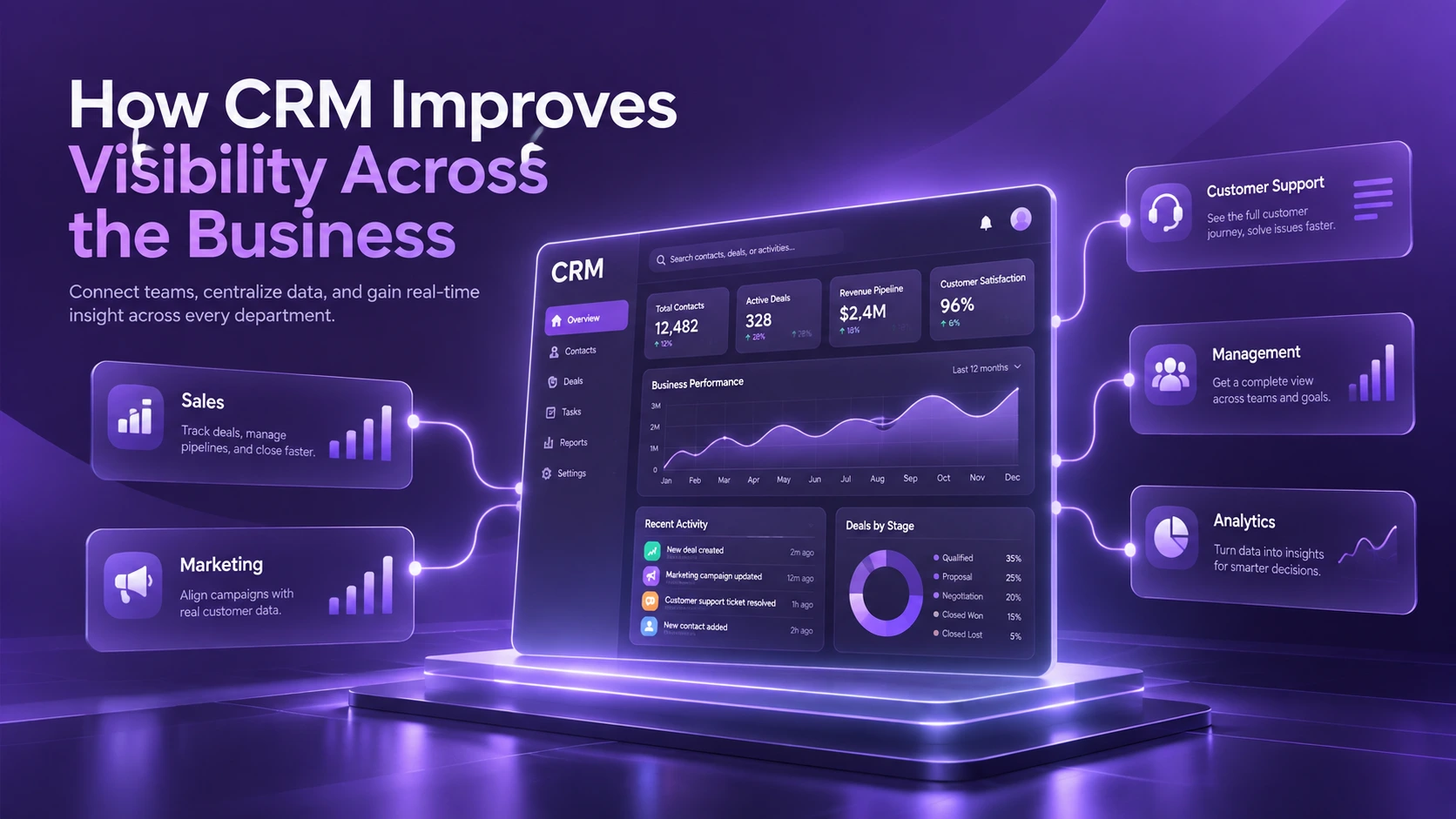
CRM gives every team the same real-time view of customers, demand, and partners. Sales, planning, and service stop reconciling separate spreadsheets.
A 360-degree customer view
One account record shows contacts, open quotes, past orders, invoices, service cases, and installed equipment. A sales rep can see that a customer has an overdue warranty claim before pitching a new order. A plant manager can see which key accounts are waiting on a delayed batch.
Forecasts that production can trust
Manufacturers earn revenue two ways: run-rate business from recurring orders and net-new business from projects. A manufacturing CRM tracks both. It compares planned volumes in customer agreements against actual orders from the ERP, so planners spot shortfalls early. Pipeline data then feeds sales and operations planning (S&OP), aligning production schedules, raw material purchases, and capacity with real demand.
Visibility into channel partners
Partner relationship management (PRM) portals let distributors and dealers register deals, share forecasts, check inventory, and request support. You see which partners grow, which stall, and where channel conflict starts.
Dashboards for leadership
Executives track metrics that matter in manufacturing:
How CRM Fuels Manufacturing Growth
CRM turns customer data into new revenue from the accounts, partners, and equipment you already have.
Capture aftermarket and service revenue
Services often carry higher margins than the original equipment sale. A McKinsey analysis across 30 industries found an average EBIT margin of 25% for aftermarket services, compared with 10% for new equipment. The same research notes that OEMs often lose service business once warranties and initial contracts expire.
A CRM tracks every unit in your installed base, its warranty end date, and its service history. It alerts reps before coverage lapses, so they can offer maintenance contracts, spare parts, and upgrades at the right moment.
Grow existing accounts
Purchase history shows which products each customer buys and which they buy elsewhere. Reps use this whitespace to cross-sell related product lines and upsell higher-spec models. Account plans set targets and owners for every site of a multi-plant customer.
Strengthen distributor and dealer networks
Indirect channels can hide your end customers. McKinsey found that OEMs selling through distributors had service attach rates of about 30% to 50%, compared with 70% to 100% for OEMs selling direct. A CRM with a partner portal shares leads, pricing, and end-customer data with partners, so you keep the relationship without cutting out the channel.
Win self-directed buyers
When CRM connects to a B2B customer portal or e-commerce store, buyers can check order status, reorder parts, and download documents on their own. Your sales team then spends time on complex deals and new accounts.
Keep customers longer
Account health scores flag warning signs such as falling order volumes, late payments, or repeat complaints. Teams act before a customer quietly moves to a competitor.
Key Features to Look for in a Manufacturing CRM
Use this checklist when you compare vendors. A CRM that misses several of these will force your team back to spreadsheets.
| Feature | What it does for manufacturers |
|---|---|
| Account and contact management | Maps buying committees, plants, and parent-child account structures |
| Opportunity and pipeline management | Tracks RFQs, technical reviews, quotes, and purchase orders by stage |
| CPQ | Configures complex products and applies contract pricing and discounts |
| Agreement and run-rate tracking | Compares planned customer volumes with actual orders |
| ERP integration | Syncs products, pricing, inventory, orders, and invoices in both directions |
| Partner portal (PRM) | Gives distributors and dealers deal registration, pricing, and inventory views |
| Service and warranty management | Logs cases, warranty claims, returns (RMAs), and installed equipment |
| Field service | Schedules technicians, tracks parts, and records work orders on mobile |
| Analytics and AI | Delivers dashboards, demand insights, lead scoring, and next-best actions |
| Security and access control | Applies role-based permissions and protects pricing and IP |
CRM and ERP: Why Integration Matters
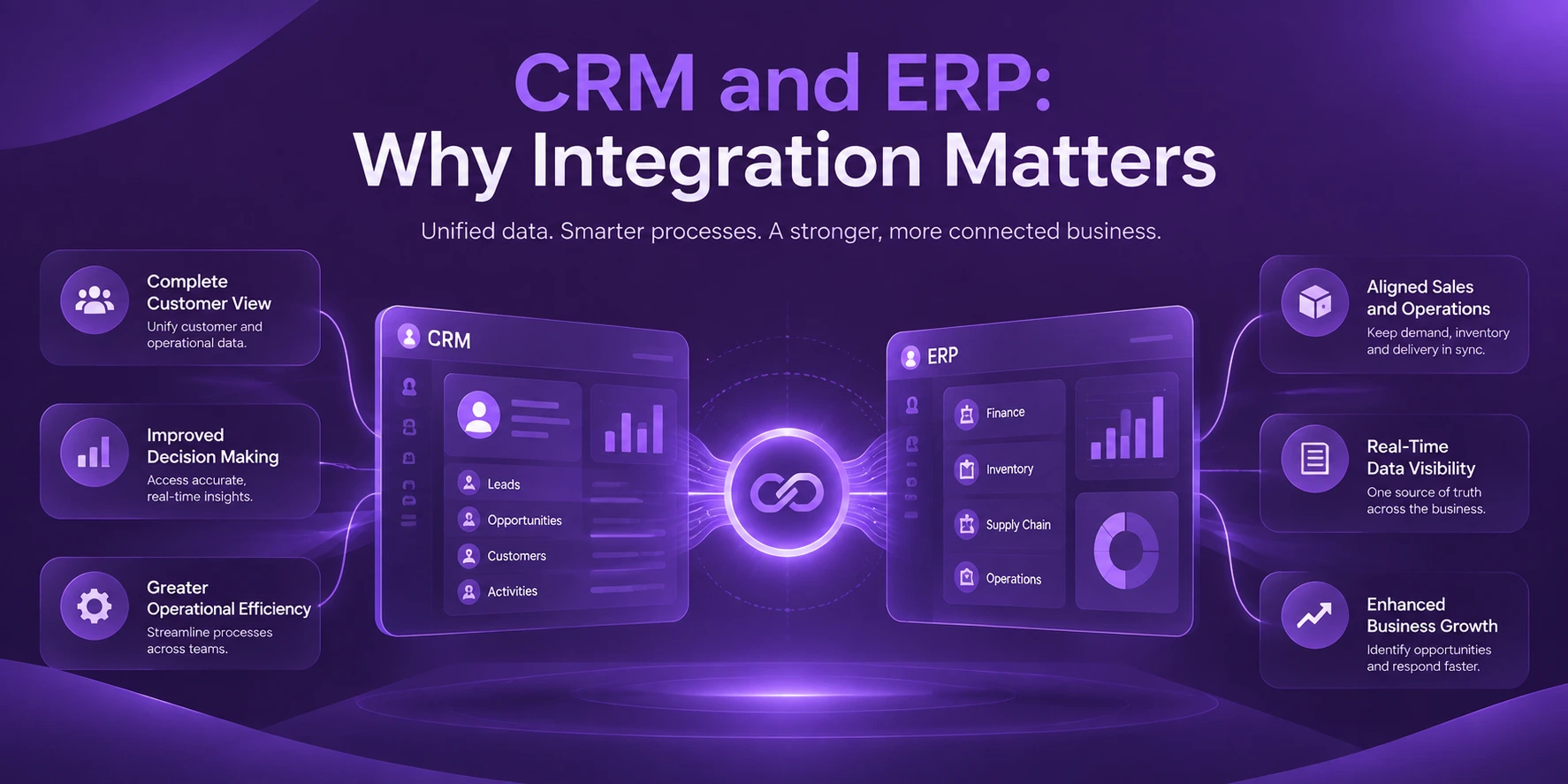
CRM runs the front office: customers, demand, and service. ERP (enterprise resource planning) runs the back office: production, inventory, procurement, and finance. Neither works well alone. Integration turns them into one quote-to-cash process.
| Data flow | What moves | Why it matters |
|---|---|---|
| CRM to ERP | Confirmed orders, forecasts, new customer records | Triggers production, purchasing, and credit checks without re-keying |
| ERP to CRM | Stock levels, available-to-promise dates, order status, invoices | Lets reps quote real lead times and answer "where is my order?" instantly |
Manufacturers connect the two systems in three common ways:
Agree on one system of record for each data type before you build. For example, ERP owns pricing and inventory, while CRM owns contacts and opportunities.
Leading CRM Platforms for Manufacturers
The right platform depends on your size, your ERP, and how much you sell through partners. Pricing varies by edition and user count, so request current quotes.
| Platform | Best fit | Manufacturing strengths |
|---|---|---|
| Salesforce Manufacturing Cloud | Mid-size and enterprise manufacturers | Sales agreements, account-based forecasting, partner portals, Agentforce AI |
| Microsoft Dynamics 365 Sales | Companies on Microsoft 365 or Dynamics ERP | Native link to Business Central and Supply Chain Management, Field Service, Copilot |
| SAP Sales Cloud | Manufacturers running SAP S/4HANA | Tight ERP alignment for pricing, availability, and orders |
| Oracle NetSuite CRM | Small and mid-size firms on NetSuite ERP | CRM and ERP on one database |
| HubSpot | Small manufacturers starting with CRM | Ease of use and marketing automation |
| Zoho CRM | Budget-conscious small manufacturers | Low entry cost and flexible customization |
If your ERP is already set, start your shortlist with CRMs that integrate natively with it. A native fit cuts integration time, cost, and risk.
How to Implement CRM in a Manufacturing Company
A phased rollout delivers value early and keeps risk low. Follow these steps:
Common CRM Pitfalls and How to Avoid Them
Watch for these traps. Most involve people and data rather than software.
The Future of CRM in Manufacturing
Three trends are reshaping manufacturing CRM:
All three depend on clean, connected customer and product data. Manufacturers that fix their data foundation now will adopt these tools faster.
Conclusion
CRM in the manufacturing industry is no longer just a sales tool. It connects customers, partners, and service to production and finance, so quotes move faster, forecasts hold up, and aftermarket revenue grows.
Start with clear goals, clean data, and ERP integration, then add CPQ, partner portals, and AI.
Faster Quotes. Forecasts You Can Trust. More Aftermarket Revenue.
Connect your CRM to your ERP and give every team one view of the customer. Talk to our experts about a phased rollout that fits how your plant sells.
Talk to ExpertSources
Frequently Asked Questions

CRM manages customer-facing work: leads, quotes, partners, and service. ERP manages operations: production, inventory, procurement, and finance. Manufacturers get the most value when the two share data in real time.
Yes, once spreadsheets can no longer show who owns each account and what each customer has ordered. Start with pipeline and contact management, then add quoting and service as you grow.
Yes. A CRM combines recurring orders, customer agreements, and open opportunities into one forecast. Planners use it to align production and purchasing with real demand.
It depends on scope, data quality, and integrations. A phased rollout that starts with core sales and ERP sync delivers results sooner than one large launch.
No single CRM fits every manufacturer. Shortlist platforms that integrate natively with your ERP, support your sales model, and match your budget and in-house skills.