Microsoft Dynamics 365 Business Central

Transform Your Business, Unlock Rapid Growth

Still closing the month in spreadsheets, re-keying orders between systems, or guessing at stock levels? Dynamics 365 Business Central brings finance, sales, purchasing, inventory and projects into one cloud system, with Copilot and AI agents built in. Tech Implement plans, configures and migrates it for growing businesses in the US, Canada and Australia, so your team runs on one set of numbers.

Transform Your Operations Now
microsoft dynamics 365 business central

What is Dynamics 365 Business Central?

Dynamics 365 Business Central is Microsoft's cloud ERP for small and mid-sized businesses. It replaces separate accounting, inventory and order tools with one system for financials, sales, purchasing, inventory, warehousing and projects, plus manufacturing and service management on the Premium plan.

It works inside the tools your team already uses: Outlook, Excel and Teams for daily work, Power Automate for approvals, and Power BI for reporting. Copilot is included in the license. Microsoft ships major updates twice a year and smaller ones monthly, so you stay current without costly upgrade projects.

Business Central Overview

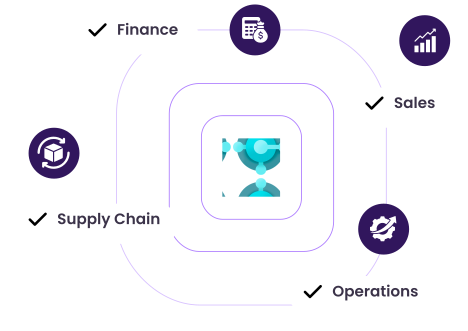
Key Modules and Capabilities

Smart Operations
Financial Control
Customer Success
Project Insights
Supply Chain Management
Automate processes

Approval workflows, recurring journals, scheduled reports and background jobs run on their own, and Power Automate templates cover common flows. Fewer manual steps mean fewer posting errors and a faster month-end.

Boost productivity

Role Centers show each user the lists, KPIs and tasks for their job. Staff edit and post data from Excel, look up customers and items from Outlook, and share live records in Teams.

Ensure security and compliance

Business Central runs on Microsoft's cloud with Microsoft Entra ID sign-in, role-based permissions and encryption. Every posting leaves an audit trail, and change logs record who changed which field and when.

Make informed decisions

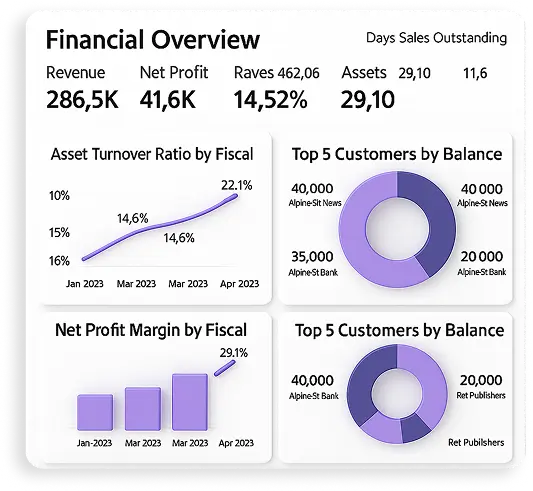
Built-in dashboards, financial reports and Copilot-assisted analysis let managers explore live data without waiting on IT. For deeper reporting, Power BI connects directly to Business Central.

Smart operations
Centralize financial data

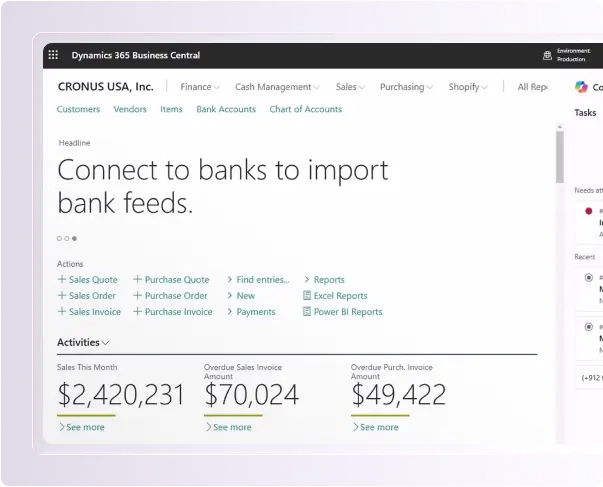
General ledger, payables, receivables, bank reconciliation, fixed assets and budgets share one database. Dimensions let you report by department, location, project or fund without side spreadsheets.

Forecast cash flow

Cash flow forecasts draw on open sales and purchase documents, and an AI-based forecast projects the trend from your history. Finance sees a shortfall coming before it lands.

Enhance performance

Track margins, overdue receivables, inventory value and other KPIs on role-based dashboards. Because every department posts to the same ledger, the numbers on screen match the books.

Support global operations

Run multiple currencies, exchange rates, intercompany transactions and consolidations across companies. Local tax and reporting features are available in each supported country, including the US, Canada and Australia.
Financial Control
Identify high-value opportunities

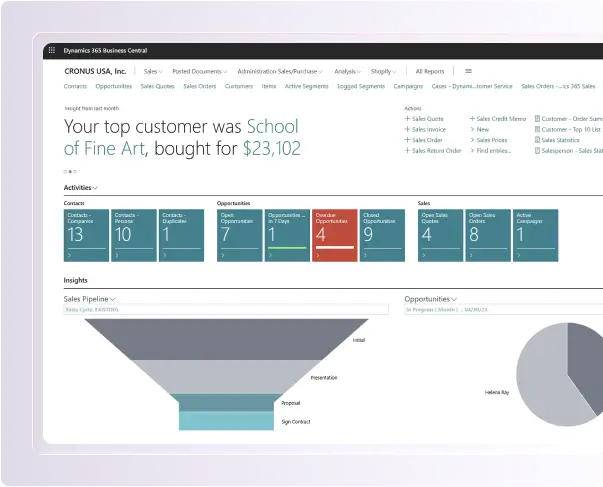
Built-in contact and opportunity management sits next to each customer's order and payment history, so sales sees which accounts buy, pay and grow. For full pipeline management, Business Central connects with Dynamics 365 Sales.

Accelerate sales

Move from quote to order to invoice without rekeying. With the Sales Order Agent, customer emails become draft quotes and orders for your team to review and send.

Deliver exceptional service

On the Premium plan, service management covers service contracts, repairs, returns and technician time. Everyone sees the customer's full order and service history in one record.

Enhance customer journey

Use interaction logs, sales history and Copilot-drafted product descriptions to tailor every offer. When you outgrow basic CRM, connect Dynamics 365 Sales, Customer Service or Field Service through Microsoft's standard integration.
Customer Success
Track project costs

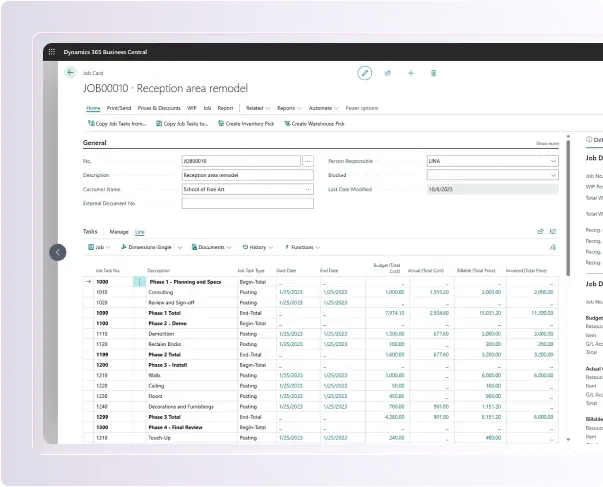
Projects capture budgets, timesheets, purchases and resource costs against each task. Compare budget to actual at any time and bill by milestone, time and materials, or fixed price.

Optimize resources

Plan capacity, assign people and equipment to tasks, and see who is over- or under-booked before work starts.

Drive profitability

Work-in-progress calculations and project reports show margin by project and task as work moves forward, so overruns are fixed before the final invoice.

Improve team collaboration

Share project records in Teams, approve timesheets from anywhere, and give occasional users access through low-cost Team Members licenses.
Project Insights
Optimize procurement and logistics

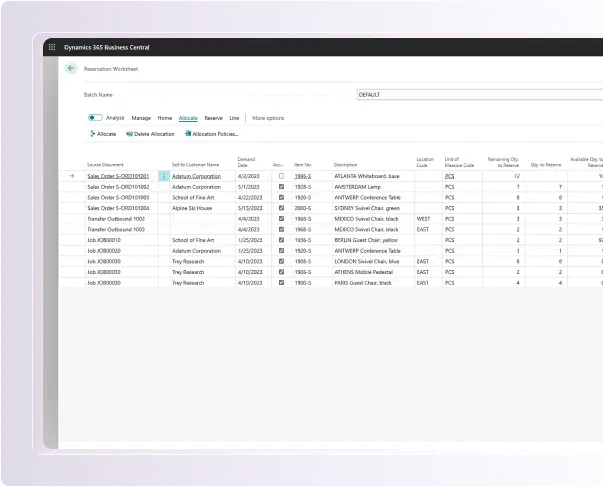
Planning worksheets suggest what to buy and when, based on demand and reorder rules. With the Payables Agent, incoming vendor invoices are read, matched to purchase orders and drafted for approval.

Streamline manufacturing

On the Premium plan, manage bills of materials, routings, production orders, capacity and subcontracted operations. Assembly orders for simple kitting are available on both plans.

Control inventory

See stock by location in real time, set reorder points, and use AI-based sales and inventory forecasting to replenish before you run out.

Enhance warehouse efficiency

Bins, directed pick and put-away, and barcode scanning speed up fulfillment and cut picking errors. The native Shopify connector brings online orders straight into the same flow.

Supply Chain Management

Copilot in Business Central

Smarter Workflows, Faster Results

Copilot is built into Business Central and included with your license. It drafts product descriptions, suggests bank reconciliation matches, answers questions about your data in plain language, and turns any list into an ad-hoc analysis, all inside the screens your team already uses. It only sees data the user is already allowed to see.

AI agents go a step further and complete whole tasks. The Sales Order Agent reads customer emails and prepares quotes and orders. The Payables Agent picks up vendor invoices from a shared mailbox, matches them to purchase orders and drafts them for approval. The Expense Agent, currently in preview, checks expense reports against your written policy. Your team reviews and approves; the agent does the keying.

Two things worth knowing up front: agents are billed separately through Copilot Credits, and Copilot and agents run only in Business Central online, not on-premises. We help you estimate credit usage for your volumes and set approval rules before any agent goes live, so automation stays inside your financial controls.

Boost Productivity Today

Key Business Challenges We Solve

Dynamics 365 Business Central addresses common challenges faced by growing businesses:

Accounting, inventory and sales in separate systems that never agree
A month-end close that depends on exporting and stitching spreadsheets
Difficulty tracking cash flow, budgets, and expenses
Cash, budgets and forecasts tracked by hand, weeks after the fact
Stock counts that don't match the system, causing overstock or stockouts
Sales figures and customer history scattered across inboxes and files
Projects that look profitable until the final invoice arrives
Purchasing run on email and memory instead of reorder rules
Approvals chased by email, with no record of who signed off
Dynamics GP, NAV or QuickBooks reaching its limits or end of support
Several entities, locations or currencies consolidated manually
The same data typed into two or three systems
Recurring invoices, journals and reminders done by hand every month
Ecommerce, payroll or banking connections that break or don't exist
Reduce Loss

Approval limits, validation rules and invoice matching help catch duplicate payments, pricing mistakes and missed bills before they post. Real-time stock levels reduce write-offs from overstock and lost sales from stockouts.

Increase Profit

When margin by customer, product and project is visible every day, you can drop unprofitable work and price with confidence. We set up the dimensions and reports that give you that view from go-live.

Efficiency in Workflow

We map how work actually flows before configuring anything, remove steps that exist only because systems don't talk, and automate the rest with workflows and Power Automate, the same approach behind our Process Engineering service.

Track Record of Proof

We deliver Microsoft Dynamics 365, Power Platform and custom software projects for clients across the US, Canada and Australia. See the results for yourself on our Success Stories page.

Why Businesses Choose Tech Implement for Dynamics 365 Business Central

At Tech Implement, one team delivers your Microsoft Dynamics 365 ERP solutions from scoping to support, covering implementation, integration, custom development and ongoing help under one roof. We are a Microsoft Solutions Partner certified to ISO 27001 for information security and ISO 9001 for quality management, which matters when you hand over your financial data. With offices in the US, Canada, Australia and Pakistan, our consultants work across your business hours.

Book a demo

Benefits You Will Gain

  • One system for finance, sales, purchasing, inventory and projects, so every report starts from the same numbers
  • Live dashboards and Copilot-assisted analysis instead of waiting for month-end reports
  • AI agents that turn emailed orders and vendor invoices into drafts your team approves
  • Daily work in Outlook, Excel and Teams, with read-only Business Central data in Teams at no extra cost for Microsoft 365 users
  • Microsoft-hosted cloud with automatic updates: no servers to maintain and no upgrade projects to fund

Our Services in Microsoft Dynamics 365 Business Central

We provide the full range of Microsoft Business Central ERP services to enable your organization to operate smarter, faster, and more connected,  from setup through continued usage. 

Integration

We integrate Business Central seamlessly with your other ERP systems, CRM systems, and third-party software, creating a one-connected ecosystem. You’ll have real-time data syncing, no silos, and improved collaboration across departments.

Customization

Our team customizes Business Central modules, dashboards, and workflows to meet your business processes. We aim to ensure usability improvements for efficacy and user adoption.

Migration

We migrate your existing data from legacy systems to Business Central securely and with the least amount of downtime possible. Our approach has proven to be safe and secure on data accuracy, regulatory compliance, and the least disruption when moving to your new environment.

Implementation

We can oversee and manage any aspect of Business Central implementation while you're planning, getting it set up, and deploying. Our experts will ensure you get an effective set-up and configuration while training users in your processes and finding value immediately.

Support & Maintenance

Our support team services monitoring 24x7 to optimize performance and smooth troubleshooting. We continually focus on ensuring changes to the structure, updates, regulatory compliance, and our adaptations to your business needs.

Is Microsoft Dynamics 365 Business Central the Right Fit for You?

Business Central fits well if you have outgrown entry-level accounting software, manage inventory, projects or more than one entity, already work in Microsoft 365, and want a cloud system you don't have to host. If you run Dynamics GP or NAV today, it is Microsoft's recommended path forward.

It is not the right choice for every company. If you need complex multi-country manufacturing, advanced supply chain planning or enterprise-scale transaction volumes, Dynamics 365 Finance & Operations is usually the better match. We implement both, so our advice is not tied to one product.

AI-Powered Capabilities:

  • Sales Order Agent turns customer emails into draft quotes and orders
  • Payables Agent captures vendor invoices and matches them to purchase orders
  • AI forecasting for cash flow, sales and inventory replenishment
  • Copilot answers questions and builds analysis from your live data

Smart Solutions for Today.
Intelligent Growth for the Future

Tell us how you work today and where it hurts. On a short call, we will tell you plainly whether Business Central fits, which plan you need, and what a realistic scope looks like for your business.

Grow Smarter with BC

Frequently Asked Questions

Is Business Central suitable for small or mid-sized businesses?

Yes. It is designed to scale with growing businesses, supporting all core operations from finance and sales to inventory and customer service. It provides the flexibility and tools small and mid-sized organizations need to streamline processes and grow efficiently without investing in multiple systems.

Can Business Central integrate with other Microsoft tools?

Absolutely. It works seamlessly with Microsoft 365 applications such as Outlook, Teams, and Excel. This integration allows teams to manage emails, collaborate in real-time, and update data directly within familiar tools, improving productivity and reducing workflow disruptions.

How long does a typical implementation take?

Implementation timelines vary depending on the complexity and size of your organization. For most small-to-mid-sized businesses, it can be fully deployed and operational within a few months, with minimal disruption to daily operations and a structured approach for training and onboarding.

Does Business Central support remote and hybrid work?

Yes. Being cloud-based, it provides secure access from anywhere, enabling employees to work remotely or in hybrid environments. Teams can collaborate on projects, update data, and monitor performance in real time, ensuring business continuity and flexibility.

How secure is my business data in Business Central?

Business Central follows Microsoft’s enterprise-grade security protocols, including data encryption, role-based access, and compliance with global standards. Your financial and operational data is protected against unauthorized access while maintaining audit-ready records for regulatory compliance.

Contact Us

We Got Your Back!

Tell us about your problems and one of our Customer Success Managers will get back to you the same day. No spam. No pressure.

No spam. No pressure.
Miley Johnson Customer Success Manager
Adam Starc Customer Success Manager

Prefer direct contact? Call or email us anytime.

    Phone Number Icon
