TI Event Check-In App
Where Every Check-In Feels Like VIP Access
Event Check-In App is a solution designed to automate attendee check-in with QR code scanning for Dynamics 365 Customer Insights - Journeys.
Book a Consultation
Automate Event Check-In with QR Code Scanning
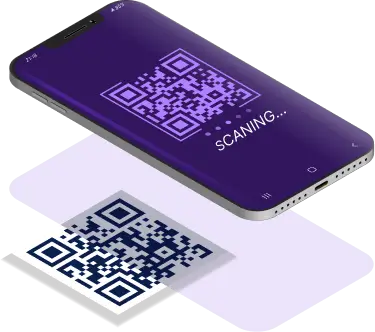
Are you struggling with long queues and delays during event registration? Managing event check-ins manually creates bottlenecks that frustrate attendees and slow down your event flow. The TI Event Check-In App is the ultimate mobile solution for Microsoft Dynamics 365 CRM that automates attendee check-in through QR code scanning, ensuring fast, secure, and accurate event entry for all your corporate events, conferences, and training sessions.
Key Features
Registration Summary Display
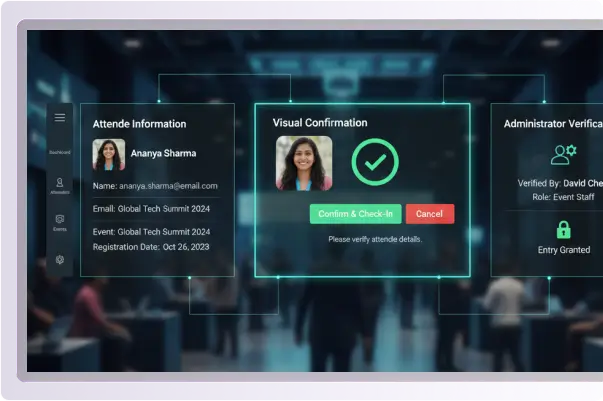
Shows complete attendee information, including name, email address, event name, and registration date
Provides visual confirmation before completing the check-in process
Ensures administrators verify the right person before granting entry
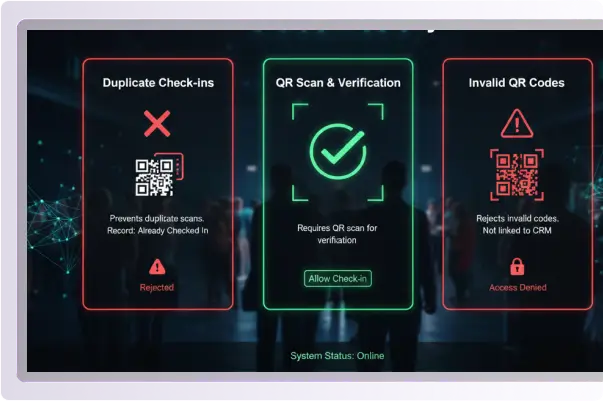
Smart Validation System
Prevents duplicate check-ins from already scanned QR codes to maintain accurate attendance records
Rejects invalid QR codes that are not linked to your CRM event registrations for security
Requires QR scan before allowing check-in, ensuring proper verification workflow is followed
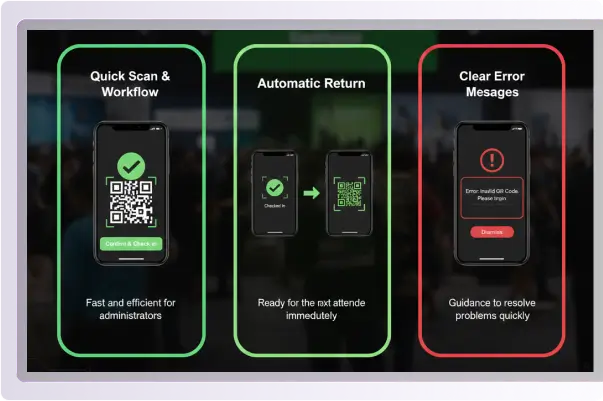
Simple User Interface
Quick scan-and-confirm workflow that makes check-in fast and efficient for administrators
Automatic return to scan screen after each check-in, ready for the next attendee immediately
Clear error messages provide guidance when issues occur, helping administrators resolve problems quickly
Easy app exit from any screen, giving administrators full control of the application
Key Benefits
Instantly verify and check in registered attendees by scanning their unique QR codes, eliminating manual data entry and reducing human errors.
Check-in status instantly updates in Dynamics 365 Customer Insights - Journeys, keeping your event data synchronized and accurate across your CRM system.
automatically blocks multiple check-ins using the same QR code, ensuring accurate attendance tracking and preventing unauthorized entry.
Only accepts QR codes that are linked to valid event registrations in your Dynamics 365 system, protecting your event from unauthorized access.
Dramatically reduces entry time and eliminates manual attendance tracking, creating a smooth and professional experience for your attendees.
Industry Use Cases
Corporate Conferences
Handle fast, efficient check-in for large business events with hundreds or thousands of attendees.
Training Sessions
Track attendance for workshops, training programs, and certifications with accurate reporting for compliance.
Trade Shows
Monitor visitor entry and collect real-time attendance data for post-event analysis and ROI measurement.
Networking Events
Streamline entry for business gatherings and professional meetups, improving the overall attendee experience.
Prerequisites
To use TI Event Check-In App, you need:
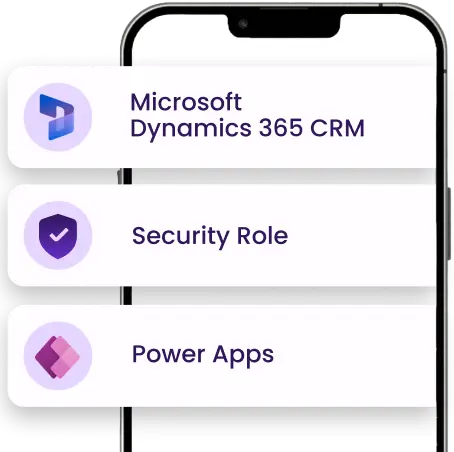
Microsoft Dynamics 365 CRM with Customer Insights - Journeys Module installed and configured
The Event Administrator security role is assigned to users who will manage check-ins
Power Apps Premium License for accessing the mobile application
Simplify event check-in with the TI Event Check-In App.
Boost efficiency, reduce wait times, and improve attendee experiences with fast, secure, and seamless attendee management.
Contact UsSupport & Upgrades
Dedicated Customer Support
Professional assistance available via email and phone to help with setup, configuration, and troubleshooting.
Regular Updates
Continuous improvements with new features, performance enhancements, and compatibility updates.
Step-by-Step Documentation
Comprehensive user guides and setup instructions are included to help you get started quickly.