Boost Customer Engagement with CRM WhatsApp Integration

Boost Customer Engagement with CRM WhatsApp Integration

January 7, 2026 . 8 min read
Find Answers Fast — Let AI Summarize This Post for You

With over 2 billion users and a 98% message open rate compared to email's 20-25%, WhatsApp is essential for modern customer communication. Integrating WhatsApp with your CRM transforms customer engagement by connecting business messaging with centralized data management, delivering measurable results.

What Is CRM WhatsApp Integration?

This integration connects WhatsApp Business API with your Customer Relationship Management system, creating a unified platform where conversations, data, and interaction history sync automatically. When customers message your business, their conversations are captured in your CRM alongside complete customer context.

WhatsApp Business App vs API

WhatsApp Business App is free but limited to single-device use with one user, suitable for small businesses with minimal conversations.

WhatsApp Business ApI is built for businesses needing multi-user access, automation, CRM integration, and verified profiles. It enables message templates, chatbots, and business system integration. For CRM integration, you must use the API through an official Business Solution Provider.

Why Businesses Need CRM Integration

Common Challenges

  • Missed Opportunities: Unanswered messages outside business hours lead to lost leads
  • Fragmented Data: Incomplete customer profiles and inaccessible conversation histories
  • Manual Work: Time wasted transcribing conversations into CRM systems
  • No Visibility: Inability to monitor response times and team performance
  • Compliance Risks: No audit trail for regulated industries

Key Benefits

  • Instant Lead Response: Automatic lead creation, assignment, and notification. Leads contacted within five minutes convert exponentially better
  • Automated Communication: Welcome messages, appointment reminders, follow-ups, and nurture campaigns run automatically based on customer behavior
  • Complete Customer View: Access all conversations, website behavior, emails, purchases, and support tickets in one place
  • Team Collaboration: Shared conversation histories, performance monitoring, and seamless handoffs
  • Scalable Operations: Intelligent routing, standardized templates, and real-time reporting dashboards
image here CRM WhatsApp Integration

Features of Watsapp Integration with CRM

  • Two-Way Synchronization: Messages and updates flow bidirectionally between WhatsApp and CRM in real-time.
  • Automated Workflows: Lead capture and routing, welcome messages, appointment management, status updates, and multi-step nurture sequences.
  • Templates and Chatbots: Pre-approved templates ensure consistent communication. AI chatbots handle inquiries, qualify leads, provide instant answers, and escalate complex issues.
  • Rich Media Sharing: Share catalogs, videos, contracts, invoices, and documents directly through conversations, automatically attached to CRM records.
  • Analytics: Track response times, message volumes, conversion rates, template performance, and team statistics for data-driven optimization.

Top 6 Best CRM with WhatsApp Integration
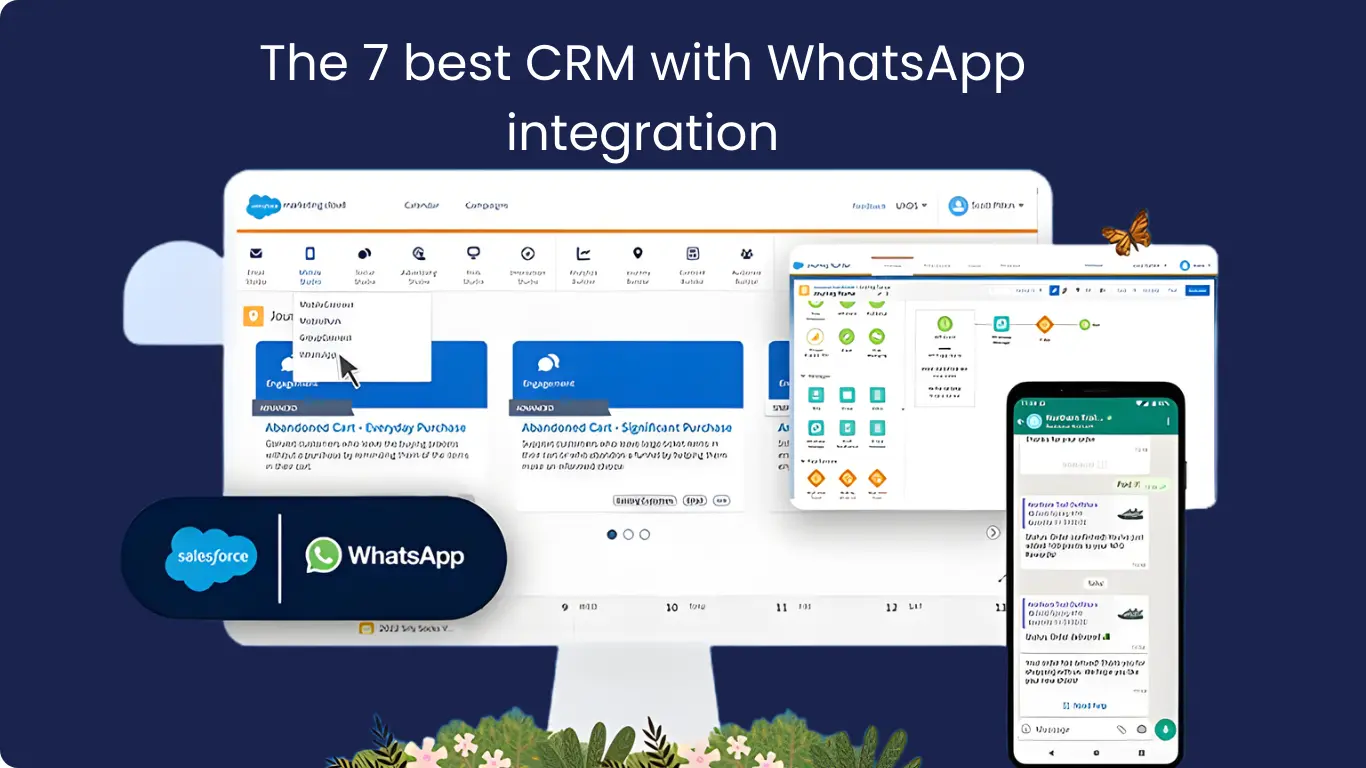
image here 7 CRM WhatsApp Integration

1. Pipermind WhatsApp‑First Sales CRM

Why it’s competitive: Pipermind is built around WhatsApp communication as a core sales tool, not an add‑on. It combines a native WhatsApp Business API connection with CRM workflows so every message becomes a trackable lead or deal.

  • Unified WhatsApp inbox: Synced to CRM contacts
  • Automated follow‑ups: Drip messaging included
  • AI-powered help: Faster replies and conversion

Best for: SMBs, e‑commerce sellers, agencies focused on WhatsApp‑led sales

2. HubSpot CRM Enterprise‑Grade Messaging + Automation

Why it’s competitive: HubSpot connects WhatsApp to its powerful contact and deal database. Messages are logged automatically, and workflows, reminders, and segmentation can be triggered by WhatsApp engagement.

  • WhatsApp messages: Stored in contact timelines
  • Powerful automation: Triggered by customer responses
  • Multi-hub integration: Marketing, sales, and service

Best for: Growing teams with multi-channel sales and marketing

3. Zoho CRM Flexible & Cost‑Effective WhatsApp Integration

Why it’s competitive: Zoho CRM supports WhatsApp via API connectors like Twilio or MessageBird. Setup takes some work, but once configured, teams can send messages and notifications with automated triggers.

  • Automate WhatsApp alerts: Follow-ups included
  • Zoho Suite integration: Desk, Campaigns, SalesIQ
  • Custom workflows: Linked to message activity

Best for: Mid-sized businesses and customizable operations

4. Salesforce Scalable Enterprise WhatsApp Messaging

Why it’s competitive: Salesforce connects WhatsApp via Digital Engagement or Marketing Cloud. Supports high-volume messaging, routing, and personalized conversations for complex sales cycles.

  • Tailored automated flows: Message routing
  • Analytics & tracking: Customer journey monitoring
  • Enterprise integration: Data and AI tools

Best for: Large enterprises and multi-department teams

5. Microsoft Dynamics 365 Enterprise CRM with WhatsApp Integration

Why it’s competitive: Dynamics 365 links WhatsApp conversations to customer data across sales, service, and marketing. Messages sync to leads, contacts, and opportunities while automating workflows.

  • WhatsApp conversations: Linked to CRM records
  • Automated workflows: Follow-ups and activity tracking
  • Microsoft ecosystem: Deep integration with tools and analytics

Best for: Medium-to-large organizations using Microsoft ecosystem

6. Zoho E‑Commerce Focused WhatsApp CRM

Why it’s competitive: Zoko turns WhatsApp into an e-commerce engine with product catalogs, checkout flows, reminders, and automated messages in CRM.

  • Product catalog integration: With WhatsApp
  • Automated order updates: Payment reminders included
  • Multi-agent inbox: Campaign tools

Best for: Online stores and D2C brands using WhatsApp as a sales channel

Industry Applications

  • E-commerce: Order confirmations, tracking, cart recovery, personalized recommendations
  • Real Estate: Lead management, property listings, virtual tours, site visits
  • Healthcare: Appointment scheduling, test results, follow-ups, prescription alerts
  • Financial Services : Account updates, payment reminders, loan status, secure onboarding
  • Education : Schedules, deadlines, payment reminders, parent communication
  • Automotive: Test drives, specifications, financing, service reminders
  • Travel: Booking confirmations, itineraries, check-ins, boarding passes

Implementation Steps of Watsapp CRM Integration

Step 1: Choose a Compatible CRM

Select a platform with native WhatsApp integration like HubSpot, Salesforce, or Zoho. Consider automation capabilities, shared team inbox, analytics, and scalability.

Step 2: Get WhatsApp Business API Access

Access the API through official Business Solution Providers like Wati, Interakt, AiSensy, Respond.io, or SleekFlow. Complete business verification with Meta, set up your profile, and configure your number.

Step 3: Configure Integration

  • Authenticate your WhatsApp Business account with CRM
  • Map data fields between platforms
  • Set up automated workflows and triggers
  • Create and submit message templates for approval
  • Configure team permissions and routing rules
  • Test thoroughly before launch

Step 4: Train Your Team

Ensure teams understand how to access customer information, use templates, assign chats, follow engagement best practices, and leverage automation tools.

Step 5: Monitor and Optimize

Track delivery rates, response times, engagement, conversion rates, and agent performance. Use insights to refine strategies continuously.

Best Practices for Watsapp CRM Integration

  • Obtain Consent: Use opt-in mechanisms like website widgets, QR codes, and click-to-WhatsApp ads. Build contact lists through legitimate methods only to avoid account suspension and never send unsolicited messages.
  • Personalize Interactions: Leverage CRM data for messages based on purchase history, preferences, and previous interactions.
  • Respond Quickly: Aim for minute-level response times with automated acknowledgments when unavailable.
  • Balance Automation: Use templates efficiently but personalize for specific situations.
  • Maintain Standards: Professional grammar aligned with brand voice in conversational tone.
  • Respect Privacy: Handle data responsibly and comply with GDPR, HIPAA, or relevant regulations.
  • Segment Audiences: Use CRM data for targeted campaigns rather than blanket broadcasts.
  • Track Performance: Regularly review analytics for open rates, response rates, and conversions.
  • Provide Multiple Channels: Maintain email, phone, and live chat alongside WhatsApp.

Common Challenges and Solutions

  • High Volumes: Implement AI chatbots and automated routing
  • Policy Compliance: Work with official providers and use approved templates
  • Integration Complexity: Choose native integration platforms and experienced partners
  • Data Sync: Use bidirectional sync platforms with error notifications
  • Team Adoption: Provide training, documentation, and pilot programs
  • Template Limitations: Submit templates early for WhatsApp pre-approval

Choosing the Right Solution

  • Official Meta verification: and Business Solution Provider status
  • Integration capabilities: Native vs third-party options
  • Automation features: including chatbots and AI
  • Shared inbox: with collaboration tools
  • Analytics and reporting: comprehensive insights
  • Scalability: for growing volumes and teams
  • Business tool integration: seamless connectivity with other systems
  • Support and training: documentation and guidance
  • Security and compliance: encryption and regulatory adherence

Conclusion

CRM WhatsApp integration transforms how businesses engage with customers by combining real-time messaging with organized data management. This powerful connection streamlines operations, boosts productivity, and creates competitive advantages across your sales, marketing, and support teams. Ready to elevate your customer communication? Contact us today for expert assistance.

Frequently Asked Question

How much does WhatsApp CRM integration actually cost per month?

The total cost includes two parts: your CRM platform subscription and WhatsApp messaging charges from Meta. Most businesses spend between $50-500 monthly depending on message volume, with Meta charging per template message based on recipient country and message category (marketing, utility, or authentication).

Can I use my existing business phone number for the integration?

Yes, but you must first remove that number from any WhatsApp mobile app on your device before connecting it to the API. Once disconnected from the regular app, you can register it through your Business Solution Provider for CRM integration without losing your business identity.

Do I need coding knowledge to connect WhatsApp with my CRM?

No technical skills are required for most modern integrations. Platforms like HubSpot, Zoho, and Salesforce offer visual setup wizards where you authenticate accounts, map data fields, and configure workflows through click-based interfaces without writing a single line of code.

What's the difference between native and third-party WhatsApp integrations?

Native integrations are built directly into your CRM platform but may lack advanced features like AI chatbots or broadcast campaigns. Third-party providers like Wati or Interakt serve as middleware offering enhanced automation, analytics, and multi-channel capabilities while connecting to any CRM system.

Can multiple team members handle WhatsApp conversations simultaneously?

Yes, most CRM integrations support collaborative team inboxes where conversations can be assigned to specific agents. The system displays who's currently handling each chat and prevents duplicate responses, while maintaining full conversation history accessible to all authorized team members.

How long does the complete setup process take from start to finish?

Expect one to two weeks for full implementation including Meta business verification, phone number registration, and message template approvals. Basic integration between your CRM and WhatsApp can be completed within hours, with the approval process being the main time factor.

Author Insights

Adam Starc
Adam Starc
LinkedIn
CRM & ERP Consultant
TechImplement

Adam Starc is a CRM and ERP consultant with a passion for helping businesses simplify complex processes through technology. With over 15 years of experience, he specializes in designing and implementing tailored solutions that drive efficiency and growth. At Tech Implement, Adam shares insights on CRM and ERP best practices, offering practical strategies to help organizations make the most of their systems. His expertise in business process optimization and technology consulting makes his content a valuable resource for professionals looking to enhance their digital transformation journey.

Like what you see? Share with a friend.

Ready to bring your project to life?

Schedule a Meeting

Related Posts

What is Salesforce Pardot? Guide to B2B Marketing Automation

What is Salesforce Pardot? Guide to B2B Marketing Automation

Top CRM Software for Automotive Industry in 2026

Top CRM Software for Automotive Industry in 2026

Dynamics 365 Sales: Close More Deals with Confidence

Dynamics 365 Sales: Close More Deals with Confidence

Get In Touch With us

    Why TechImplement

    Enterprise-Grade Quality

    ISO-certified processes ensuring clean, scalable, and maintainable code on every project.

    Best Pricing

    Unlock unbeatable value with our competitive rates and cost-effective solutions.

    Agile and Transparent

    Stay informed every step of the way with our transparent processes.

    Trusted-client Trusted-client Trusted-client Trusted-client Trusted-client Trusted-client Trusted-client Trusted-client
    Phone Number Icon