Top CRM Software for Automotive Industry in 2026
Discover the top CRM software for automotive industry in 2026. Compare features, pricing, pros, cons, and best options for dealerships.
Contact Us
From hands-on work with automotive CRM systems, I’ve seen how smart integration between customer relationship management, dealership systems, and inventory management transforms daily operations for car dealerships and manufacturers.
It aligns customer interactions from initial interest to purchase, including accurate lead tracking, automated communication, focused sales, connected marketing, and responsive service.
As the automotive industry evolves and customers research extensively before buying, CRM systems help dealerships deliver exceptional experiences, track leads efficiently, and build lasting relationships, resulting in higher sales and improved customer satisfaction.
Key Takeaways
Reasons Why the Automotive Industry Needs CRM
Complete Customer Insights
CRM software stores all customer information in one centralized system, including purchase history, preferences, service records, and contact details. This unified view helps dealerships personalize interactions, understand customer needs faster, and make smarter sales and service decisions.
Track Activities
Every call, email, meeting, and follow-up is recorded in one place. This keeps your sales and service teams aligned, reduces internal miscommunication, and allows managers to monitor performance and engagement without chasing updates.
Competitive Analysis
CRM data helps you understand market trends and customer expectations. Track which features buyers ask for, compare pricing insights, and adjust your sales approach based on real customer behavior and competitive intelligence.
Inventory Management
By connecting CRM with your inventory system, you gain real-time visibility into available vehicles. Identify fast-selling models, track aging inventory, and reduce manual errors that often lead to missed sales opportunities.
Calculate ROI
CRM systems show exactly which marketing channels deliver high-quality leads. Measure campaign performance, control spending, and focus your budget on activities that generate the best return and long-term profitability.
Risk Management
CRM analytics help identify issues before they escalate. Spot dissatisfied customers, declining sales trends, or performance gaps early. With clear insights and SWOT-based planning, dealerships can reduce risks and make confident strategic decisions.
How These CRMs Were Selected
I evaluated each Automotive CRM using six key factors: user reviews from actual dealerships, essential automotive features, ease of use, customer support quality, value for money, and hands-on testing experience. This approach ensures you get proven solutions that are already working in real automotive operations.
Best CRM Software for the Automotive Industry
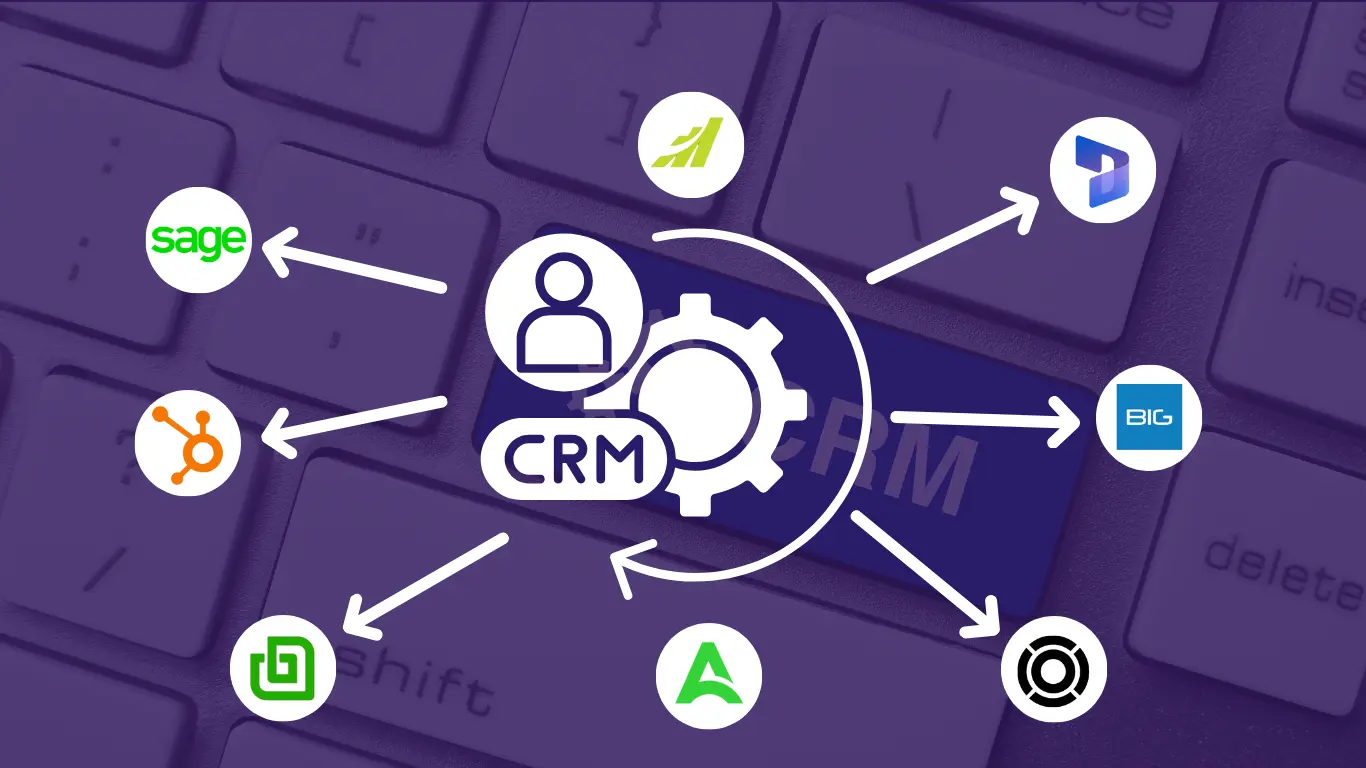
Here are the top 9 best crm software for cart for car dealerships.
1. Microsoft Dynamics 365 CRM - Best for Enterprise-Grade Integration
Microsoft Dynamics 365 is designed for large dealerships requiring powerful system integrations. It connects seamlessly with Microsoft tools (Outlook, Teams, Excel) and manufacturer DMS systems.
The automotive accelerator provides specialized templates for managing deals, contracts, vehicle specifications, test drives, and warranties. AI-powered insights predict lead conversion probability and recommend optimal actions.
What You'll Like
What You May Not Like
Pricing
2. Salesforce - Best for AI-Powered Sales Automation
saleforce Sales Cloud delivers enterprise-grade CRM capabilities with Einstein AI at its core. The platform combines powerful automation, predictive analytics, and comprehensive customer data management in one unified system.
Perfect for dealerships requiring sophisticated workflow automation and data-driven insights. AI-powered features predict which leads are most likely to convert, while automated processes handle routine follow-ups and task assignments.
What You'll Like
What You May Not Like
Pricing
3. HubSpot - Best for Centralizing Sales, Marketing, & Support Operations
HubSpot unifies sales, marketing, and service teams in one platform. The robust free version makes it perfect for starting small and scaling up over time.
Create targeted email campaigns by customer segment with marketing automation. Track email engagement, website visits, and behavioral patterns for optimal follow-up timing.
What You'll Like
What You May Not Like
Pricing
4. Zoho CRM - Best for Budget-Conscious Dealerships
Zoho CRM offers enterprise-level features at a fraction of the cost of competitors. The platform balances affordability with powerful automation, making it ideal for independent dealers and small dealership groups.
Comprehensive lead management, workflow automation, and blueprint process management help standardize sales processes. Integration with 40+ Zoho applications eliminates additional tool costs while maintaining full functionality.
What You'll Like
What You May Not Like
Pricing
5. VinSolutions - Best for OEM-Backed Dealership Intelligence
VinSolutions is an enterprise-level automotive CRM owned by Cox automotive, making it especially strong for franchised dealerships that rely on OEM integrations and deep customer data insights. The platform combines CRM, desking, inventory, and marketing tools into a single ecosystem.
Its connect CRM leverages data from across the Cox automotive network to deliver a complete customer lifecycle view, enabling personalized follow-ups, smarter marketing campaigns, and improved retention across sales and service departments.
What You'll Like
What You May Not Like
Pricing
6. AutoRaptor - Best for 360° Communication
AutoRaptor is purpose-built for car dealerships with unified communication at its core. Text, call, and email customers from one platform with automatic interaction logging.
Automated sequences maintain engagement after test drives and inquiries without manual effort.
What You'll Like
What You May Not Like
Pricing
7. DealerSocket - Best for Inventory Management
DealerSocket is a comprehensive dealer management system with robust CRM capabilities. Real-time inventory tracking displays full vehicle details including VIN, lot location, days in stock, and pricing.
Automatic listing updates and sales-to-inventory connections improve customer responsiveness.
What You'll Like
What You May Not Like
Pricing
8. BIGContacts - Best for Contact Management & Email Marketing
BIGContacts delivers essential CRM features for small to medium automotive businesses. It focuses on contact organization and affordable email marketing.
Segment customers by vehicle type, purchase status, or service needs and track engagement easily.
What You'll Like
What You May Not Like
Pricing
9. ProMax - Best for Equity Mining & Sales Optimization
ProMax is a dealership-focused CRM known for its powerful equity mining, desking, and sales performance tools. Designed to increase profitability per deal, it helps sales teams identify high-intent buyers, uncover hidden equity opportunities, and optimize financing scenarios in real time.
The platform emphasizes actionable insights, alerting sales reps when customers are most likely to buy based on equity position, credit data, and behavioral signals.
What You'll Like
What You May Not Like
Pricing
Evaluation Criteria
User Reviews and Ratings
Research authentic dealership feedback on G2, Capterra, and Trustpilot. Prioritize reviews from similar-sized businesses and note patterns in ease of use, support quality, and measurable results.
Essential Features and Functionality
Document required features such as inventory management, email marketing, text messaging, and website integration. Align your priorities with each CRM's core strengths.
Ease of Use
Systems must enable quick team adoption with intuitive interfaces. Test candidates with your staff before purchasing. Verify clean layouts and solid mobile functionality.
Customer Support Quality
Evaluate support channels (phone, email, chat) and availability windows. Strong support transforms minor issues into quick fixes. Review knowledge bases and tutorial libraries.
Value for Money
Calculate complete costs including setup, training, storage, and add-ons. Assess ROI—CRMs that generate additional sales justify their investment.
Personal Experience and Expert Opinions
Each recommendation here underwent personal testing. Combined with industry expert analysis and dealer testimonials, these suggestions work in real-world applications.
Transform Your Automotive Business with the Right CRM Solution
Strategic CRM implementation revolutionizes dealership operations through improved follow-up, personalized service, and the elimination of manual processes. Success demands full commitment: complete data migration, thorough training, and mandatory usage policies.
Tech Implement’s CRM solution offers an ideal starting point for small to medium dealerships with its forever-free plan and affordable upgrade options. Its intuitive design, combined with reliable support, helps businesses manage leads, sales, and customer relationships efficiently while staying competitive in a fast-moving automotive market.
Learn More About the Best CRM for Auto Parts Business

Automotive CRM software centralizes customer relationship management for car dealerships. It consolidates purchase history, preferences, and service records in one organized database while tracking leads, managing sales workflows, automating marketing, scheduling service, and analyzing performance. Dealership-specific features include vehicle inventory management, test drive coordination, and DMS integration.
Capture Every Lead: Automatic tracking with follow-up reminders ensures no opportunity escapes.
Immediate Response: Instant replies contact leads within seconds—5-minute responses increase conversions 900% over 30-minute delays.
Superior Service: Complete history access enables meaningful personalization that builds loyalty.
Team Efficiency: Automation eliminates repetitive work, allowing focus on relationship development.
Informed Decisions: Analytics reveal effective strategies for data-driven optimization.
Revenue Growth: First-year CRM implementation typically increases sales 10-30%.
Lead Management: Multi-source capture, intelligent assignment, and progression tracking.
Contact Management: Complete customer profiles including interaction history and preferences.
Sales Pipeline: Visual journey mapping from contact through closing.
Communication Tools: Unified messaging with automatic conversation logging.
Marketing Automation: Segmented campaigns and triggered follow-up sequences.
Inventory Integration: Live vehicle availability and detailed specifications.
Task Management: Intelligent reminders for follow-ups and appointments.
Reporting: Conversion metrics, individual performance, and channel ROI.
Mobile Access: Anywhere information updates.
Integrations: Connectivity with DMS, accounting, and operational tools.
Every small or independent dealership benefits from CRM software. It ensures complete follow-up, automates repetitive tasks, and improves relationship management.
CRM manages customer relationships, including sales, marketing, and interactions. DMS manages operations like inventory, financing, service scheduling, and compliance.
Free Tier: BIGContacts and HubSpot provide permanent free plans with core functionality.
Entry Level ($10-$50/user/month): BIGContacts paid ($9.99-$19.99), basic HubSpot ($20). Suitable for small-medium dealerships.
Intermediate ($50-$100/user/month): Maximizer ($65-$75), Microsoft Dynamics 365 Professional ($65). Advanced capabilities for expansion.
Premium ($100+/user/month): Microsoft Dynamics 365 Enterprise ($105-$150), advanced HubSpot ($890+). Enterprise-grade for large operations.
Automotive-Specific: AutoRaptor and DealerSocket require custom quotes, generally $300-$1,000+ monthly.
Additional Expenses: Implementation, training, data migration, integrations, storage overages, premium support.
Step 1: Document essential features and growth projections.
Step 2: Establish comprehensive budget including hidden costs.
Step 3: Develop shortlist of 3-4 qualified candidates.
Step 4: Conduct hands-on testing via free trials. Assess usability and support responsiveness.
Step 5: Verify compatibility with existing technology stack.
Step 6: Evaluate support infrastructure and training resources.
Step 7: Confirm vendor stability and longevity.
Step 8: Gather team feedback—daily users provide crucial insights.
Step 9: Select based on requirements match, avoiding feature bloat.
Step 10: Execute complete implementation with comprehensive training.
Modern CRMs consolidate omnichannel communication—email, text, phone, social media—into unified inboxes, preventing message fragmentation and response duplication.
Journey Automation: Trigger stage-appropriate communications. Post-inquiry vehicle information, post-test-drive follow-ups, post-purchase service reminders.
Intelligent Personalization: Segment-specific messaging based on interests. Truck buyers receive truck content; families receive safety information.
Response Monitoring: Track timing and deploy instant acknowledgments for immediate engagement.
Interaction Timeline: Chronological records inform journey understanding and strategy adjustment.
Post-Purchase Engagement: Automated touch points, thank-you notes, review requests, service reminders, celebrations—sustain relationships.
Optimal CRMs provide seamless sales-service integration with unified customer profiles. Service advisors access purchase records; salespeople view service histories.
Top Performers:
- DealerSocket: Purpose-built for integrated dealership operations.
- Microsoft Dynamics 365: Advanced workflow automation for complex enterprise environments.
- BIGContacts: Exceptional value for coordinated communication in smaller dealerships.
- Maximizer CRM: Balanced sales-service features with robust task coordination.
Peak performance requires departmental CRM adoption, established collaboration protocols, and cross-functional opportunity recognition training.