

Microsoft Power BI Solutions

Your Data Has Answers.
We Help You Find Them.

Tech Implement is a business intelligence solutions provider that helps companies turn raw data into clear, actionable insights. We work closely with your team from day one, ensuring every solution aligns with how your organization actually operates.

Get a Free Power BI Consultation
Microsoft Power BI Solutions

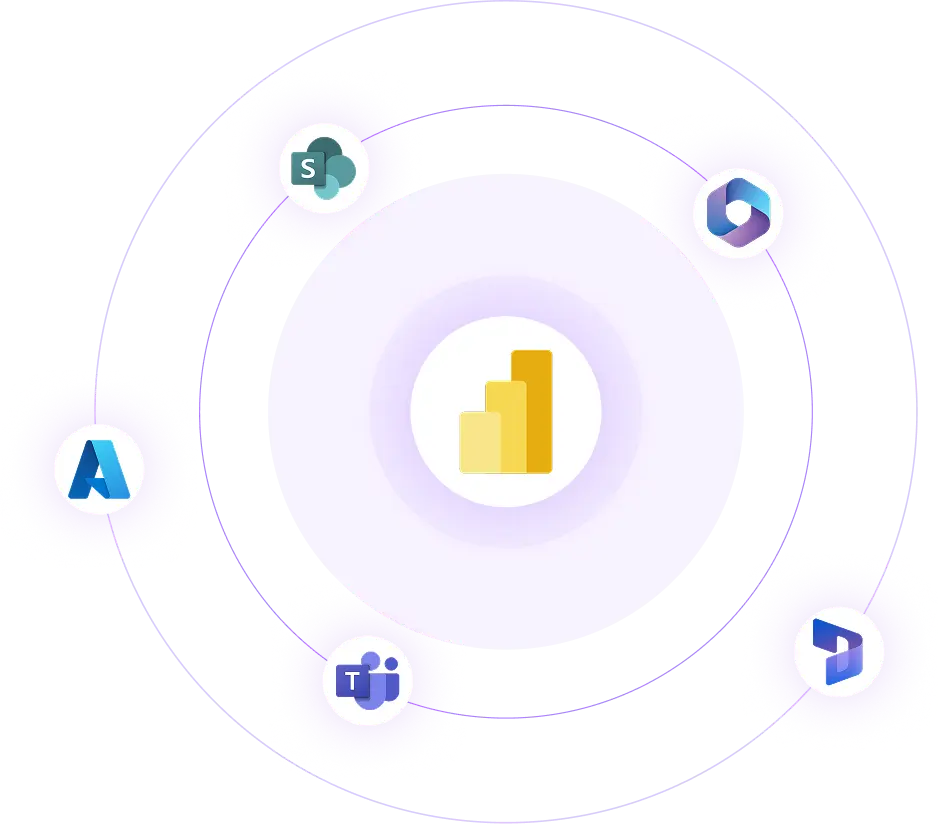
Power BI connects and integrates with your existing environment

Microsoft Power BI connects your organization's data wherever it lives and transforms it into interactive reports and dashboards your entire team can act on. It integrates natively with Microsoft Dynamics 365, Teams, SharePoint, and Azure, making it a seamless extension of your existing environment.

Built for both business users and IT teams, Power BI offers a no-code self-service interface alongside enterprise-grade governance, security, and scalability.

The Real Impact of Power BI on Your Business

Businesses that implement Power BI stop guessing and start knowing. Here is what that shift looks like in practice:

Data-Driven Decision Making

Data-Driven Decision Making

Every department, from finance to operations to sales, gets access to live, accurate metrics. Decisions get made faster and with greater confidence.

Enhanced Collaboration

Enhanced Collaboration

Shared dashboards and interactive reports keep every stakeholder working from the same version of the truth, eliminating the misalignment that comes from siloed spreadsheets.

Operational Efficiency

Operational Efficiency

Automated data pipelines replace manual consolidation work, freeing your team to focus on analysis rather than data preparation.

Reduced Technology Costs

Reduced Technology Costs

Power BI consolidates reporting under one scalable platform, cutting the cost of multiple disconnected analytics tools.

Our Microsoft Power BI Solutions

We cover every stage of the Power BI journey from the initial assessment of your data environment to the long-term health of your deployed solution.

Strategy Development

Before any configuration begins, we map your data landscape, identify gaps between your current reporting capabilities and your business goals, and produce a clear implementation roadmap. This includes selecting the right licensing model, defining data source priorities, and setting measurable success criteria for the project.

Implementation

We handle the full build data modeling with DAX and Power Query, establishing data refresh schedules, configuring role-based access controls, and deploying the solution within your infrastructure. Every implementation is documented and handed over with full transparency.

Data Visualization

Effective reporting is not about showing everything, it is about showing the right things clearly. We design dashboards and reports built around the specific KPIs and decisions your teams need to make, using visual best practices that make complex information immediately readable.

Integration

We connect Power BI to your entire data environment, including ERP systems, CRMs, cloud platforms, on-premises databases, and third-party applications, establishing reliable, secure data pipelines that keep your reports current without manual intervention.

Governance & Security

We put the right controls in place to ensure your data environment stays compliant and protected. This includes data classification policies, user access management, audit logging, and alignment with regulatory standards such as GDPR and CCPA.

Training

Adoption determines ROI. We deliver structured training programs calibrated to your team's skill levels and job functions, ensuring every user, from executives reviewing dashboards to analysts building reports, can get value from the platform independently.

Support

After go-live, we stay engaged. We monitor solution performance, apply platform updates, resolve issues proactively, and evolve the solution as your reporting needs grow so your Power BI environment never becomes stale or underperforming.

Ready to Transform Your Data into Decisions? Let's Have a Conversation

How Power BI Works

It operates as a connected suite of five components, each serving a distinct purpose within the broader analytics workflow:

01

Its desktop version serves as the authoring tool where data models are created and reports are designed for analysis and visualization.

02

It then connects to a cloud-based platform where reports are published, shared, and managed at scale, making collaboration and data access seamless across teams.

03

It also provides mobile applications for iOS, Android, and Windows, allowing stakeholders to monitor live dashboards and real-time insights from anywhere.

04

For advanced reporting needs, it includes a specialized tool to create highly formatted, paginated reports suited for compliance and print requirements.

05

For organizations with strict data policies, it also supports an on-premises deployment option, ensuring secure and controlled report hosting without relying on the cloud.

This architecture means Power BI can adapt to your organization's deployment preferences, fully cloud, fully on-premises, or a hybrid of both without compromising on functionality.

Copilot in Microsoft Power BI

Microsoft Copilot brings AI-powered intelligence directly into the Power BI interface. Users can ask questions about their data in plain language and receive instant visual answers, generate complete report drafts from a written prompt, and receive automatically generated narrative summaries that explain what a dashboard is showing without requiring any manual interpretation.

For organizations managing large, complex datasets, Copilot also identifies anomalies and emerging trends that manual analysis would likely miss. Tech Implement configures and activates Copilot as part of your Power BI deployment, ensuring your teams can take full advantage of these capabilities from the moment the solution goes live.

See AI Analytics in Action

Our Power BI Implementation Process

Every project follows a seven-stage methodology that balances thoroughness with speed designed to reduce risk, maintain visibility, and get your solution live without unnecessary delays.

Start Your Power BI Journey

Discovery & Analysis

We examine your current data environment, identify reporting gaps, and document both the technical and business requirements that will shape the entire project.

Architecture Design

We define the structural blueprint data models, storage strategy, integration points, governance policies, and visualization framework before any build work begins.

Project Planning

We produce a detailed project plan with timelines, cost estimates, defined milestones, and agreed acceptance criteria, aligning expectations on both sides from the outset.

Prototyping

We build interactive wireframes and prototypes based on real use cases, gather structured feedback, and refine the design before full development begins.

Configuration & Customization

We develop the full solution, building reports, configuring system integrations, applying security settings, and tailoring every element to your specifications.

Testing & Launch

We run functional, performance, and usability testing across the full environment. Once validated, we manage the production deployment and provide close post-launch monitoring.

Handover & Ongoing Support

We transfer complete project documentation, conduct role-specific onboarding sessions, and remain available for performance tuning, feature additions, and platform updates going forward.

Power BI Pricing & Licensing

Microsoft offers three primary licensing tiers for Power BI. The right choice depends on your user base, the scale of your data environment, and whether you need to embed analytics within external-facing applications.

Prices listed are Microsoft's standard rates and do not include consulting or implementation fees

Plans & pricing
PRO Power BI Pro $14/ user / mo
Teams publishing and sharing reports internally
Data refresh
8× per day
Dataset size
Up to 1 GB
Storage
10 GB / user
MOST POPULAR PPU Premium Per User $24/ user / mo
Power users needing advanced analytics and AI features
Data refresh
48× per day
Dataset size
Up to 100 GB
Storage
100 TB
ENTERPRISE Power BI Embedded Capacity-based (Azure)
Products & portals embedding analytics for external users
Data refresh
48× per day
Dataset size
Varies
Storage
Varies
Feature comparison
Feature Power BI Pro Premium Per User Embedded
AI & Copilot Not included Included Included
Print & export ready reports Not included Included Included
Content publishing & management Not included Included Included
Advanced data connectivity Not included Included Included
Feature comparison
Power BI Pro
AI & Copilot Not included
Print & export ready reports Not included
Content publishing & management Not included
Advanced data connectivity Not included
Premium Per User
AI & Copilot Included
Print & export ready reports Included
Content publishing & management Included
Advanced data connectivity Included
Embedded
AI & Copilot Included
Print & export ready reports Included
Content publishing & management Included
Advanced data connectivity Included

Ready to Make Your Data Work for You?

Tell us about your data challenges, and we will show you exactly how Power BI can address them. No generic demos, a conversation built around your business.

 Get Started with Power BI

Why Businesses Choose Tech Implement for Power BI

Decisions That Drive Profit

We don't just build dashboards we build clarity. Our Power BI solutions surface the insights that directly impact your bottom line, helping you identify high-performing areas, optimize pricing, and capitalize on revenue opportunities your raw data was hiding.

Eliminate Costly Blind Spots.

Poor data visibility leads to expensive mistakes. We eliminate guesswork by giving every team real-time, accurate data, reducing errors, cutting unnecessary spend, and stopping revenue leakage before it compounds.

Workflows Built Around How You Actually Work

Every business operates differently. We configure Power BI to fit your existing processes, integrating seamlessly with your Microsoft ecosystem so your teams spend less time switching tools and more time acting on insights.

A Track Record You Can Trust

We have successfully delivered Power BI solutions across industries from retail and manufacturing to financial services and healthcare. Our clients don't just go live; they see measurable results.

Frequently Asked Questions

How long does a Power BI project typically take?

Project length depends on scope and complexity. A focused dashboard deployment for a single department can be delivered in two to four weeks. A full organizational rollout with multiple data source integrations, custom visualizations, and user training typically runs between six weeks and four months.

What does Power BI consulting cost?

Consulting fees vary based on the scale of the engagement, the number of data sources involved, the level of customization required, and ongoing support needs. We offer both fixed-price and time-and-materials structures. Reach out for a tailored estimate based on your specific requirements.

Is Power BI suitable for small and mid-sized businesses, or is it primarily for large enterprises?

Power BI is genuinely scalable across organization sizes. The Pro tier is cost-effective for smaller teams, while Premium and Embedded options support enterprise-scale deployments. We have implemented Power BI for organizations ranging from 20-person businesses to multi-location operations with hundreds of users.

How does Power BI handle data security?

Power BI includes row-level security, data encryption at rest and in transit, multi-factor authentication, and audit logging. For organizations operating under GDPR, CCPA, or sector-specific regulations, we configure the governance framework to meet those specific compliance requirements as part of the implementation.

What engagement models do you offer?

We structure our engagements in three ways: full project ownership, where we manage the entire delivery, a dedicated team model, where our consultants integrate with your internal resources, and targeted augmentation, where we fill specific capability gaps. The right model depends on your internal capacity and project complexity.

Can Power BI connect to our existing systems?

Yes. Power BI supports over 100 native connectors covering Microsoft products, major ERP and CRM platforms, cloud services, databases, and common file formats. For systems without a native connector, we build custom integration pipelines to ensure your data reaches Power BI reliably and securely.

What happens after the solution goes live?

We provide structured post-launch support covering performance monitoring, issue resolution, and platform updates. As your business requirements change new data sources, additional reports, expanded user access we extend and adapt the solution so it continues to meet your needs over time.

Contact Us

We Got Your Back!

Tell us about your problems and one of our Customer Success Managers will get back to you the same day. No spam. No pressure.

No spam. No pressure.
Miley Johnson Customer Success Manager
Adam Starc Customer Success Manager

Prefer direct contact? Call or email us anytime.

    Phone Number Icon
