Zoho consultant in Brisbane that fit your business needs
We configure, integrate and customise Zoho so your team runs on one connected system instead of spreadsheets and manual admin. We're a Brisbane-based Zoho team, and we help local businesses turn a mess of disconnected tools into one system that actually works together across sales, finance, service and daily operations.
- 55+Zoho apps mapped
- 4Core services
- AUBased team
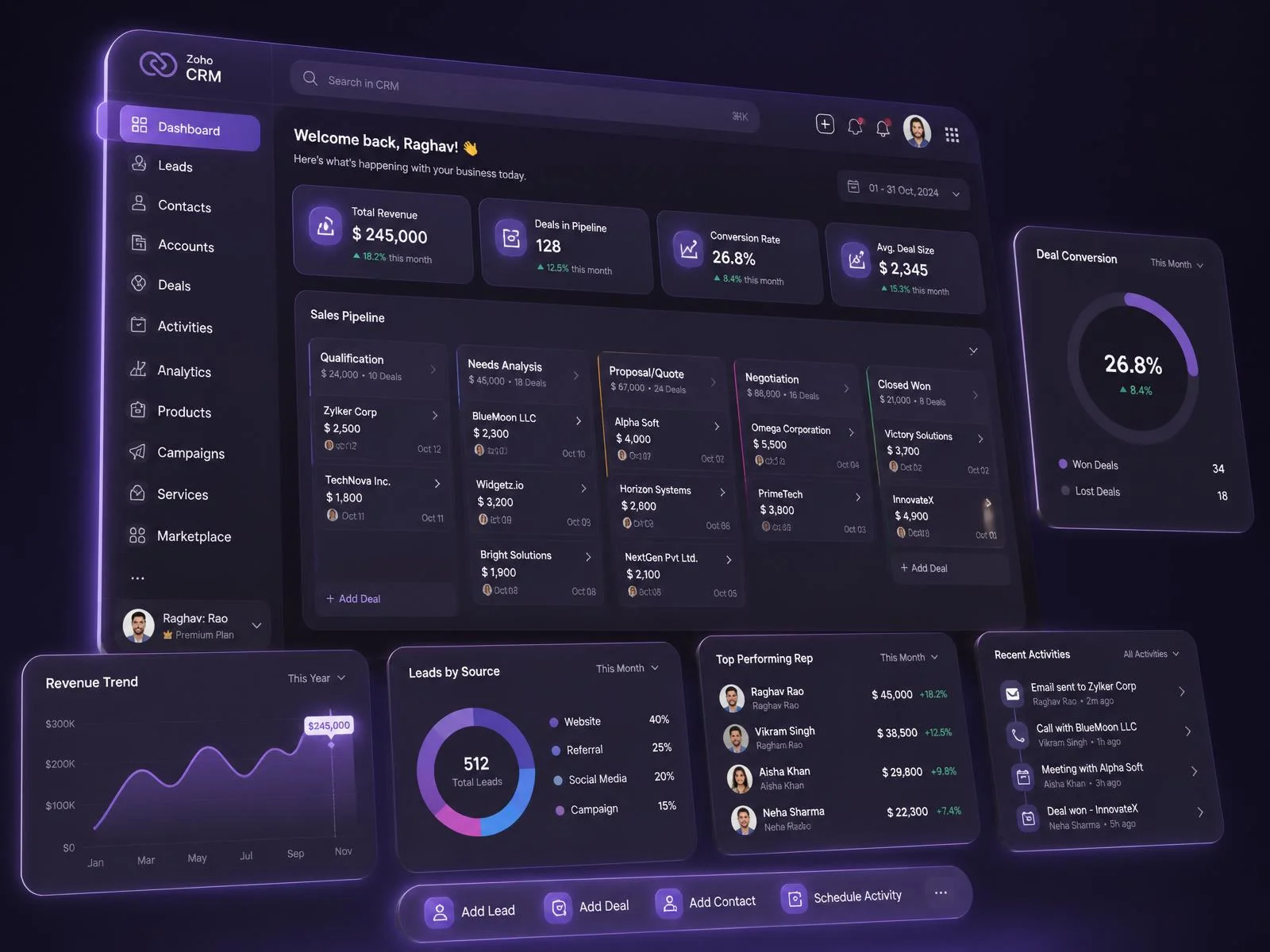
Why your business needs a Zoho consultant (more than you think)
Buying a Zoho licence doesn't kill manual admin. Configuration does.
If your team is doing any of these, you have a configuration problem, not a software problem:
- Moving data between spreadsheets by hand
- Chasing leads with no automated reminders or workflows behind them
- Typing the same customer record into two or three systems
- Fighting to pull a report that answers an actual business question
A Zoho consultant fixes that. In practice, that means:
- Mapping how your business runs before touching a single setting
- Working out which Zoho apps you need — CRM, Books, Projects, Desk, Analytics, Creator, or a mix — and which you don't
- Building Blueprint workflows and automation rules so repetitive tasks stop landing on someone's desk
- Knowing when a custom module or a bit of Deluge scripting earns its keep, and when standard configuration does the job for free
The complete Zoho ecosystem, what every app actually does
Zoho CRM
Zoho CRM helps sales teams manage leads, contacts, deals, and pipelines in one platform. It automates follow-ups, tracks customer interactions, and integrates with Zoho Books, SalesIQ, and third-party tools like Google Workspace and Microsoft 365.
Bigin
Bigin is a pipeline-focused CRM built for small businesses and startups. It simplifies contact management, deal tracking, and workflow automation. Teams can connect Bigin with Zoho Desk, Mail, and Forms for smooth customer data flow.
SalesIQ
SalesIQ adds live chat, visitor tracking, and chatbots to your website. Sales teams can identify prospects, score leads, and start conversations in real time. It connects directly with Zoho CRM to sync visitor data automatically.
Bookings
Bookings lets customers schedule appointments, demos, and consultations through a self-service calendar. It syncs with Google Calendar, Outlook, and Zoho CRM, sends automatic reminders, and reduces no-shows for service-based businesses and sales teams.
Zoho Books
Zoho Books manages invoicing, bank reconciliation, tax compliance, and financial reporting for small and mid-sized businesses. It supports GST and VAT rules, connects with payment gateways like Stripe and PayPal, and syncs with Zoho Inventory.
Invoice
Zoho Invoice creates professional invoices, estimates, and payment reminders for freelancers and small businesses. Users can accept online payments through PayPal, Stripe, and Razorpay, track billable hours, and send invoices in multiple currencies and languages.
Expense
Zoho Expense automates expense reporting, receipt scanning, and travel management for finance teams. Employees submit claims through mobile apps, managers approve them online, and the software syncs data with Zoho Books and popular corporate card feeds.
Billing
Zoho Billing handles subscription management, recurring invoices, and payment collection for SaaS companies and service providers. It manages plan upgrades, prorated charges, and dunning workflows while integrating with payment gateways and Zoho Books for accounting.
Inventory
Zoho Inventory tracks stock levels, purchase orders, and order fulfillment across warehouses. It integrates with Amazon, Shopify, and eBay marketplaces, manages serial and batch numbers, and updates inventory in real time with Zoho Books.
Payroll
Zoho Payroll calculates salaries, taxes, and statutory deductions for employees automatically. It generates payslips, files compliance reports, and supports direct salary deposits. The software connects with Zoho People and Zoho Books for complete HR-finance sync.
Zoho Campaigns
Zoho Campaigns runs email marketing with drag-and-drop templates, contact segmentation, and A/B testing. Marketers can automate drip sequences, track open and click rates, and sync subscriber lists directly from Zoho CRM and Zoho Forms.
Marketing Automation
Zoho Marketing Automation manages multi-channel campaigns across email, SMS, social media, and web push. It scores leads, builds customer journeys, and tracks website behavior, helping marketing teams pass sales-ready leads into Zoho CRM.
Social
Zoho Social schedules posts, monitors brand mentions, and tracks engagement across Facebook, Instagram, LinkedIn, X, and Google Business Profile. Agencies and marketing teams can collaborate on content calendars and measure performance from one dashboard.
Forms
Zoho Forms builds online forms for lead capture, registrations, surveys, and feedback. It supports conditional logic, payment collection, and digital signatures. Submitted data flows automatically into Zoho CRM, Campaigns, and Sheet for follow-up.
Backstage
Zoho Backstage manages event planning, ticketing, and attendee engagement for conferences, webinars, and trade shows. Organizers can build event websites, sell tickets, run mobile event apps, and promote sessions through integrated email campaigns.
Zoho People
Zoho People centralizes employee records, attendance, leave management, and performance reviews. HR teams can automate onboarding workflows, manage shift schedules, and run appraisal cycles. It connects with Zoho Payroll and Recruit for end-to-end HR operations.
Recruit
Zoho Recruit is an applicant tracking system for HR teams and staffing agencies. It posts jobs to multiple job boards, parses resumes, schedules interviews, and manages candidate pipelines while syncing hired candidates into Zoho People.
Payroll
Zoho Payroll processes employee salaries, tax withholdings, and benefits with automated compliance. It handles pay schedules, generates statutory reports, and gives employees self-service portals to download payslips and tax forms anytime.
Zoho Desk
Zoho Desk manages customer support tickets across email, phone, chat, and social media channels. Support agents use AI assistant Zia for reply suggestions, automate ticket routing, and track SLAs while syncing customer data with Zoho CRM.
SalesIQ
SalesIQ provides live chat and chatbot support for customer service teams. Agents can view visitor activity, share screens, and transfer chats to Zoho Desk as tickets, giving customers instant answers without leaving the website.
Assist
Zoho Assist enables remote desktop support and unattended access for IT teams and help desks. Technicians can troubleshoot customer devices, transfer files securely, and run multi-monitor sessions across Windows, Mac, Linux, iOS, and Android.
Lens
Zoho Lens delivers augmented reality remote assistance through smartphone cameras. Field technicians and customers stream live video to experts, who annotate on-screen to guide repairs, reducing travel costs and equipment downtime for service teams.
Zoho Analytics
Zoho Analytics is a business intelligence platform that builds dashboards, reports, and data visualizations. It connects to Zoho apps, SQL databases, and cloud services, while AI assistant Zia answers data questions in plain language.
DataPrep
Zoho DataPrep cleans, transforms, and enriches raw data before analysis. It detects data quality issues automatically, standardizes formats, removes duplicates, and pushes prepared datasets into Zoho Analytics, CRM, or external databases and warehouses.
Zoho Projects
Zoho Projects plans tasks, milestones, and timelines using Gantt charts and kanban boards. Teams can log billable hours, automate task workflows, and collaborate through built-in feeds while integrating with Zoho Books for project invoicing.
Sprints
Zoho Sprints supports agile teams with scrum boards, backlogs, and sprint planning tools. Development teams can estimate story points, track velocity charts, run sprint retrospectives, and link work items with GitHub and Bitbucket repositories.
WorkDrive
Zoho WorkDrive gives teams shared cloud storage with team folders, granular permissions, and version history. Members can co-edit documents through Zoho Writer, Sheet, and Show, and access files securely from desktop and mobile apps.
Zoho Commerce
Zoho Commerce builds online stores with drag-and-drop design, product catalogs, and secure checkout. Store owners manage orders, shipping, and taxes from one dashboard while connecting payment gateways and syncing sales with Zoho Books.
Inventory
Zoho Inventory powers e-commerce stock control by syncing product quantities across Shopify, Amazon, Etsy, and eBay. It automates reorder points, manages multi-warehouse stock, and generates packing slips and shipping labels through carrier integrations.
Books
Zoho Books records e-commerce sales, payment gateway fees, and tax obligations automatically. Online sellers can reconcile marketplace payouts, track profit margins per channel, and stay compliant with GST, VAT, and sales tax requirements.
Billing
Zoho Billing manages recurring payments, subscription plans, and customer billing portals for online businesses. It handles failed payment retries, sends automatic renewal reminders, and supports multiple currencies and payment gateways for global customers.
Zoho Flow
Zoho Flow connects apps and automates workflows without coding. Users build multi-step flows with triggers, conditions, and actions across 900+ apps, including Zoho products, Slack, Gmail, and Trello, saving hours of manual work.
Creator
Zoho Creator is a low-code platform for building custom business applications. Teams design forms, workflows, and dashboards with drag-and-drop tools, deploy apps on web and mobile, and connect data through APIs and prebuilt integrations.
Catalyst
Zoho Catalyst is a serverless development platform for programmers. Developers build and deploy backend functions, APIs, and microservices with built-in AI, authentication, and data storage, paying only for the compute resources they actually use.
Zoho FSM
Zoho FSM manages field service operations, including work orders, technician dispatching, and service appointments. Dispatchers assign jobs by skill and location, technicians update status from mobile apps, and invoices sync with Zoho Books.
Desk
Zoho Desk organizes service requests into a unified ticketing system with knowledge base and self-service portals. Service teams automate escalations, measure customer happiness ratings, and resolve issues faster using AI-powered response suggestions.
Assist
Zoho Assist supports service teams with instant remote sessions and unattended device access. Technicians diagnose problems on customer machines, reboot and reconnect during sessions, and record sessions for training and compliance purposes.
Lens
Zoho Lens brings AR-powered visual support to service workflows. Experts view equipment through a customer's phone camera, freeze frames, add annotations, and guide on-site fixes remotely, cutting resolution time for maintenance and repair teams.
No categories in this filter.
Why Brisbane businesses work with our Zoho consultants
Don't take a consultant's word for it. Trust should rest on a track record and results you can check yourself.
Real delivery, not just claims
Tech Implement delivers Zoho CRM, finance, integration and custom development projects. We've built for small teams and for organisations running across multiple sites — configuration, migration and bespoke development, all in one place.
Results you can measure
A Zoho project is only worth doing if it cuts manual data entry, gives you real visibility over your sales pipeline, connects systems that currently don't talk, or fixes reporting that's broken. We scope against those outcomes on the first call, then measure against them again at go-live.
Training built in, not bolted on
Requirements gathering, user testing and training sit inside the project from day one — not extras quoted separately once the build is done. Whether your team can actually use the system is what decides success, so we build for that from the start rather than bolting it on at the end.
How we help businesses succeed with Zoho
Four services, one outcome: a Zoho system your team uses, rather than works around. Each one covers a point where implementations commonly go wrong.
Implementation
Set up Zoho apps around your process: modules, fields, layouts, pipelines, permissions and data migration from your current tools.
Integration
Connect Zoho apps to each other and to the systems outside Zoho you rely on, so records stay consistent without manual re-entry.
Customisation
Custom modules, functions, approvals and automation for the parts of your business that standard configuration does not cover.
Training & support
Hands-on sessions for each role, documentation, and ongoing support as your processes and team change.
Ready to Transform Your Business with Zoho?
Get expert Zoho consulting in Brisbane tailored to your business needs. From setup and customization to automation and integration, we’ll help you build a smarter, more efficient Zoho system.
Book an AppointmentFAQs
Do you charge for the initial consultation?
Yes. The first session is a paid consultation, and that's deliberate; it's a working session, not a sales pitch. You walk away with your process mapped, a recommended app stack and a realistic plan, whether or not you engage us to build it. You're paying for real thinking about your business, not a demo.
Do I have to buy Zoho One, or can I start with a few apps?
You can start with a handful. Zoho One bundles 55+ apps under one subscription, which suits some businesses, but plenty of teams are better off with three or four standalone apps that talk to each other. Working out which route is cheaper and simpler for you is part of the consultation.
Has the consultant mapped your process, or gone straight to a demo?
A proper consultant maps your process before proposing anything. If the first thing they show you is a generic product demo rather than questions about how you work, treat it as a warning sign — you'll end up with a template setup, not one built for your business.
What's in scope, and what's explicitly excluded?
Get scope and exclusions written down before you sign. A vague scope is usually where unexpected costs and blown timelines come from later.
How does your existing data get migrated, cleaned and validated?
Ask how records are audited, deduplicated, mapped to the right fields and checked before import. If a consultant can't walk you through this, there's a real risk of losing data or ending up with duplicates during the switch.
Which of your current systems can integrate with Zoho, and how?
Find out which of your systems — accounting, ecommerce, marketing, ERP — connect via REST API or webhook, and which would need custom work. It has a real effect on both cost and timeline.
How is the configuration tested before go-live?
Insist on user acceptance testing before go-live, with someone named to sign it off. Skip this step and problems tend to surface after your team already depends on the system.
What training format does your team get — live, recorded or documented?
Check that training is role-based, not a generic walkthrough of the platform. A general tour won't teach anyone the specific workflows built for their job.
What does post-launch support cost, and what's the response time?
Get support pricing and response times agreed in writing before go-live, not after. Support that's never properly scoped tends to get billed ad hoc, usually at a higher rate, right when you actually need it.
Can they name the exact Zoho apps and modules they'd configure for you?
If a consultant can already tell you which apps apply — CRM, Books, Projects, Desk, Analytics, Creator — they've understood what you need. If the answer's vague, they haven't gotten there yet.

We Got Your Back!
Tell us about your problems and one of our Customer Success Managers will get back to you the same day. No spam. No pressure.
No spam. No pressure.

Prefer direct contact? Call or email us anytime.

© 2026 All Rights Reserved By TechImplement
© 2025 All Rights Reserved By TechImplement

